GAMECASTER
GAMECASTER
Gamecaster was designed and developed by a team of three, as a project for a course. The goal was to implement a multi-display web application for a smart living room, based on the existing LoL Esports platform, and interact with it during a live, professional League of Legends game. The app was designed using Figma and implemented in Angular and Node.js. The smart living room consisted of a TV, a projected wall, a smart table, a mobile device and virtual cursor devices all of them synced together.
Gamecaster was designed and developed by a team of three, as a project for a course. The goal was to implement a multi-display web application for a smart living room, based on the existing LoL Esports platform, and interact with it during a live, professional League of Legends game. The app was designed using Figma and implemented in Angular and Node.js. The smart living room consisted of a TV, a projected wall, a smart table, a mobile device and virtual cursor devices all of them synced together.
AmITV
AmITV
Main screen
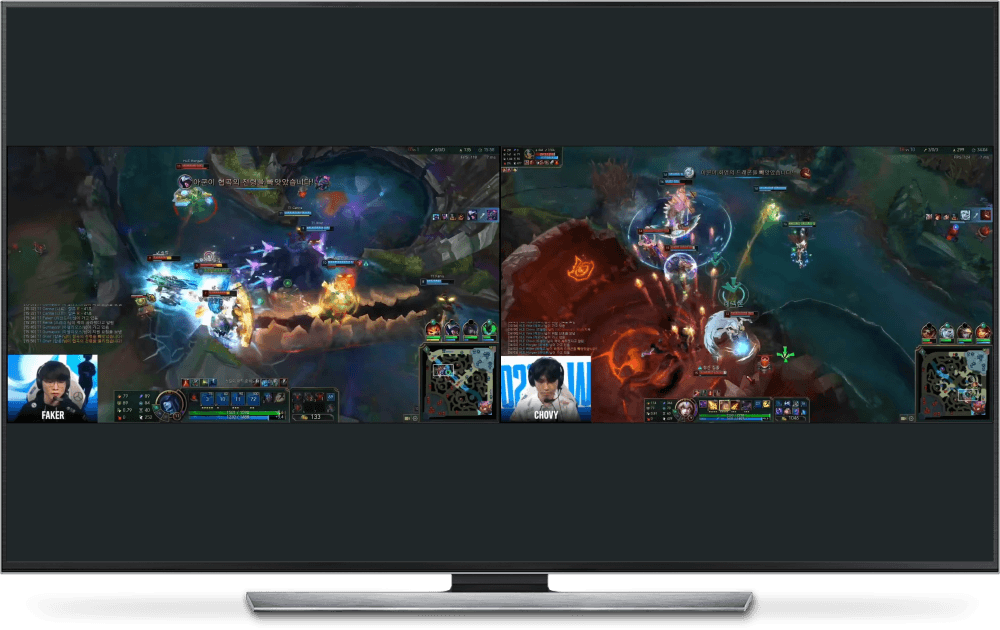
The user can watch the live game, highlights from previous games or the Pro View feature, which allows him to focus on the pov of only two players of the same role.
The user can watch the live game, highlights from previous games or the Pro View feature, which allows him to focus on the pov of only two players of the same role.



AugmenTable
AugmenTable
Complementary screen
Controller
The table provides a menu that displays basic video controller functions, extra information such as tweets and articles and a poll or the Pro View players in the form of widgets the user can toggle on/off and rearrange by dragging them around.
The table provides a menu that displays basic video controller functions, extra information such as tweets and articles and a poll or the Pro View players in the form of widgets the user can toggle on/off and rearrange by dragging them around.
Mobile
Mobile
Main controller
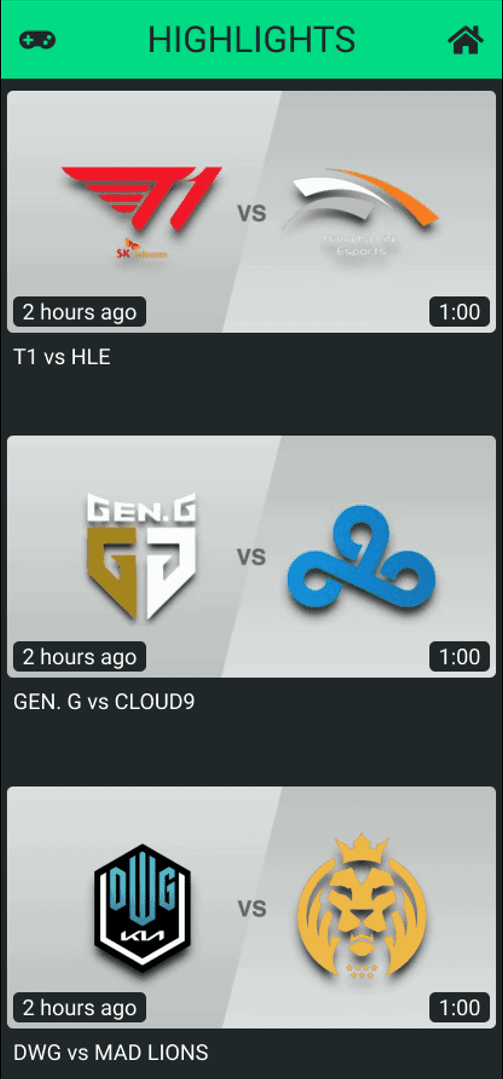
The user can control the live view of the game, record it, or take a screenshot, watch highlights from previous games of the day, vote for their favorite team, check the tweets, toggle the Pro View feature, or even search an article and cast it on another screen of their choice.
The user can control the live view of the game, record it, or take a screenshot, watch highlights from previous games of the day, vote for their favorite team, check the tweets, toggle the Pro View feature, or even search an article and cast it on another screen of their choice.



SurroundWall
SurroundWall
Secondary screen
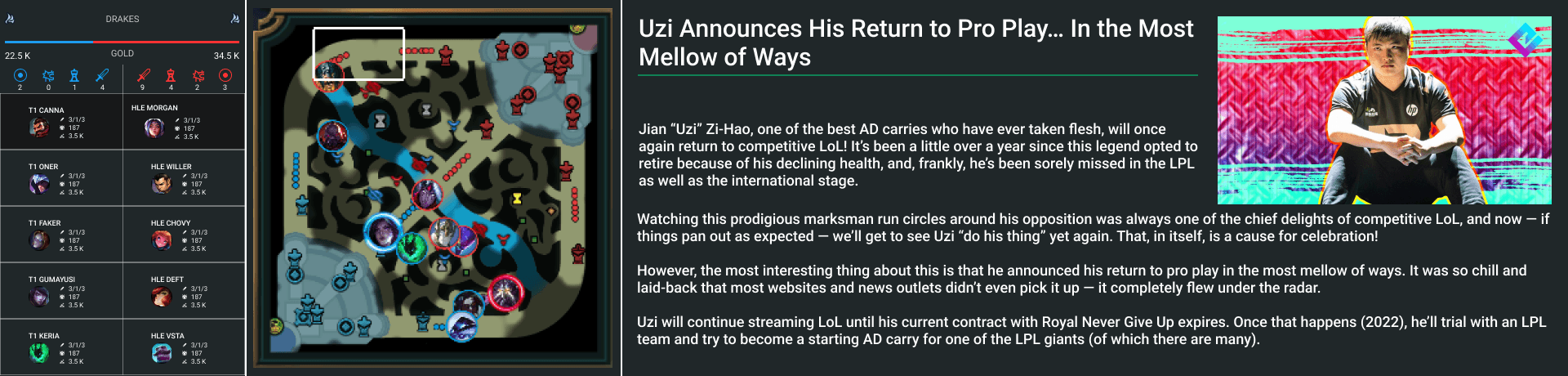
The user can watch detailed, in-game statistics about all 10 players, watch an enlarged copy of the minimap displaying all players' positions in real-time, display the group results of the tournament or cast articles on it from the mobile.
The user can watch detailed, in-game statistics about all 10 players, watch an enlarged copy of the minimap displaying all players' positions in real-time, display the group results of the tournament or cast articles on it from the mobile.